No sketch required
Use plain language to describe the ring idea and revise from the preview.
Most buyers do not arrive with production art. They arrive with a person, memory, job, place, pet, joke, or promise. The designer turns that into a ring direction you can inspect.
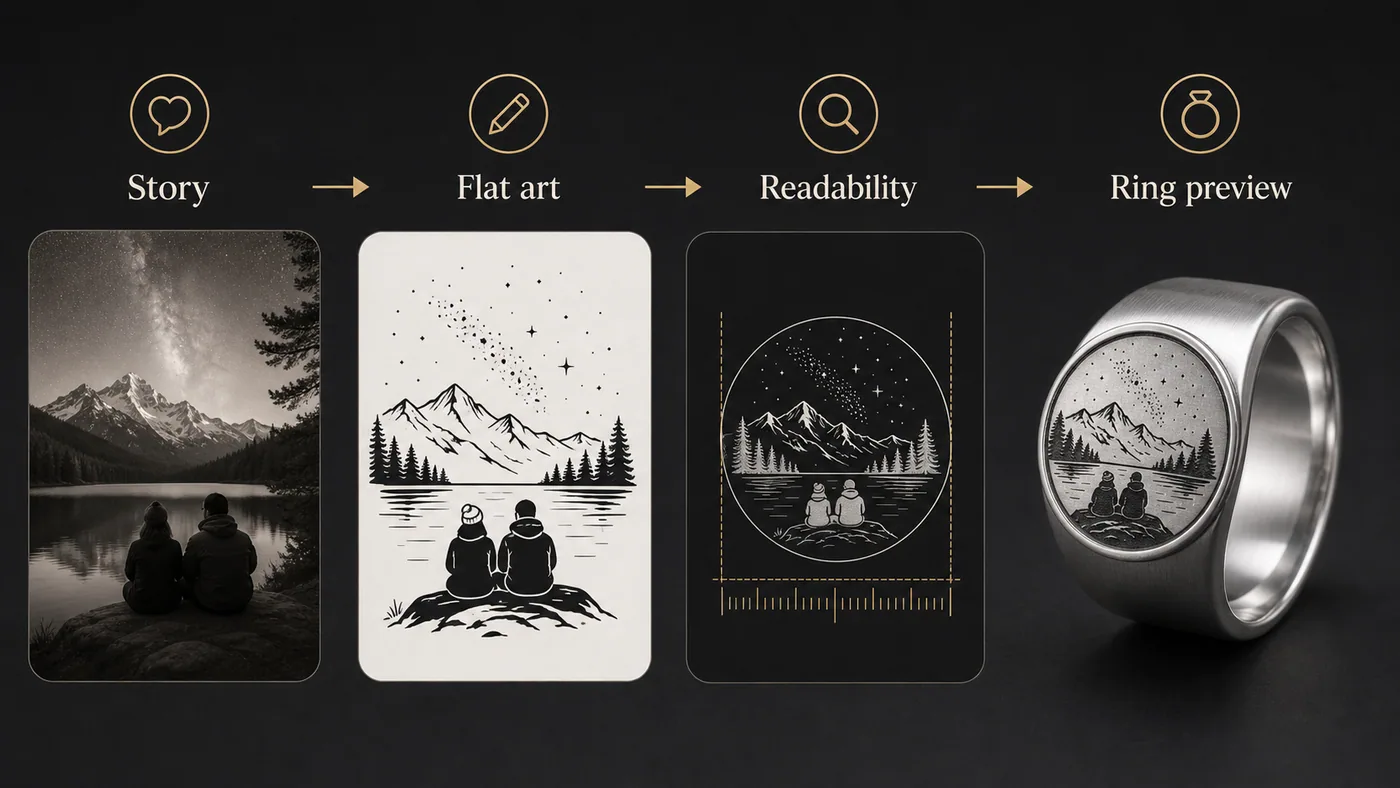
Use plain language to describe the ring idea and revise from the preview.
Signed-in customers can save designs and return to them later.
Choose ring options, confirm details, and move into secure checkout when the design is ready.
The fastest path is not endless random generation. Start by writing a short creative brief: who the ring is for, why it matters, what must be visible, and what should be avoided. This keeps revisions useful and reduces wasted attempts.
After each preview, choose a direction. If the design is too busy, ask for simpler shapes. If the ring feels generic, add a specific object or place. If text feels cramped, move it inside the band or shorten it.
The flat view lets you judge balance. Look for whether the design has a beginning, middle, and end, whether the main symbol is large enough, and whether any repeating pattern creates a harsh seam.
On a ring, tiny details compete with metal reflections. A design that is slightly bolder on the flat preview often looks more premium after it becomes a physical object.
Checkout makes sense when the concept is clear, the flat artwork is readable, and the ring mockup matches the story. You do not need every production detail solved before you start, but the central design should feel right.
If the ring is a gift and you are unsure about size, treat size as a production detail to confirm. Do not let uncertainty about size stop a strong design from moving forward when the order flow supports follow-up.
Anonymous previews may be limited. Saving designs, claiming credits, and checkout work best with a confirmed customer session.
The Vault is where signed-in customers can keep generated designs and continue later.
Yes. The prompt should name the use case so the artwork has the right tone.
Watch on page
Watch the design walkthrough before you spend credits or checkout.